SANOS · SIERRA BIOMED, LLC, DBA SANOS HEALTH
How customers choose Sanos ticket texts
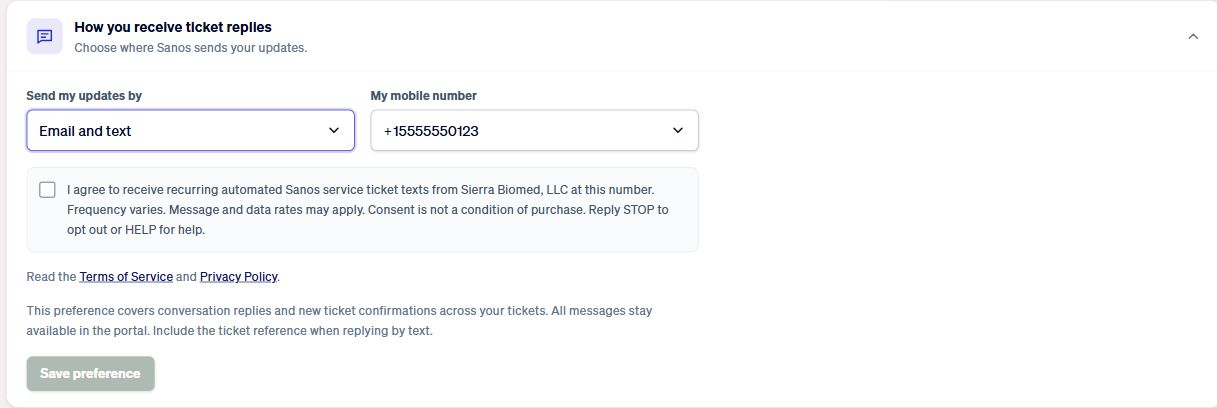
Existing customers sign in to the Sanos customer portal and open a service ticket. Under “How you receive ticket replies,” they select Text or Email and text and choose their registered mobile number.
The consent checkbox starts unchecked. Customers read the disclosure and the linked Terms of Service and Privacy Policy, check the box, and select Save preference. Texting is optional; Email remains available. This information page does not enroll anyone.
The customer consent screen
The example below uses a synthetic test contact and shows the actual portal form.
Customers can later change their choice in the portal or reply STOP to opt out of texting.